








Needing to restart your system regularly is not normal — it’s usually a sign that something needs updating or reconfiguring. A properly set up system should run for months without a reset. We can diagnose what’s going on and fix it so you don’t need constant reboots.
Archives: FAQs
-
My connection speed fluctuates all the time, I’m meant to be getting 500 Mbps from my ISP. Why?
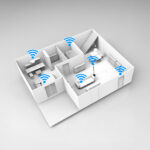
This usually happens because Wi-Fi speeds are affected by distance, walls, and interference. Your broadband speed (500 Mbps) is what arrives at your router, but Wi-Fi is shared out across the house. The further you are from the access point, the lower the speed. We can help improve coverage and consistency, so you get much closer to full speed everywhere.
-
My mesh system is up and running but a little unreliable. Can you help?
Most of the mesh systems are self-install as they only require plugging in and connecting wirelessly on an app. All our solutions are connected using Cat 6 – this means we can guarantee stability and speeds in the parts of the home where you need it. WIFI with a cabled backbone creates a stable network on which you can connect all your wireless devices with confidence.
-
I’m renovating my house or building a new home. When is the best time to talk to Wifiworks about the network and Wi-Fi?
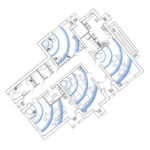
The best time is before the walls go up. Planning your Wi-Fi and wired network early — at the same stage as your electrics and lighting — makes a big difference. It allows us to design the ideal cable routes, access point locations, and smart-home integration without costly rework later.
Even if you’re still in the planning stage, we can advise your builder or electrician on where to run cables so you’re set up for strong, reliable coverage throughout the property from day one.